AI Tools That Predict Customer Behavior Before They Buy

I was lying in bed at 2 AM when my phone buzzed.
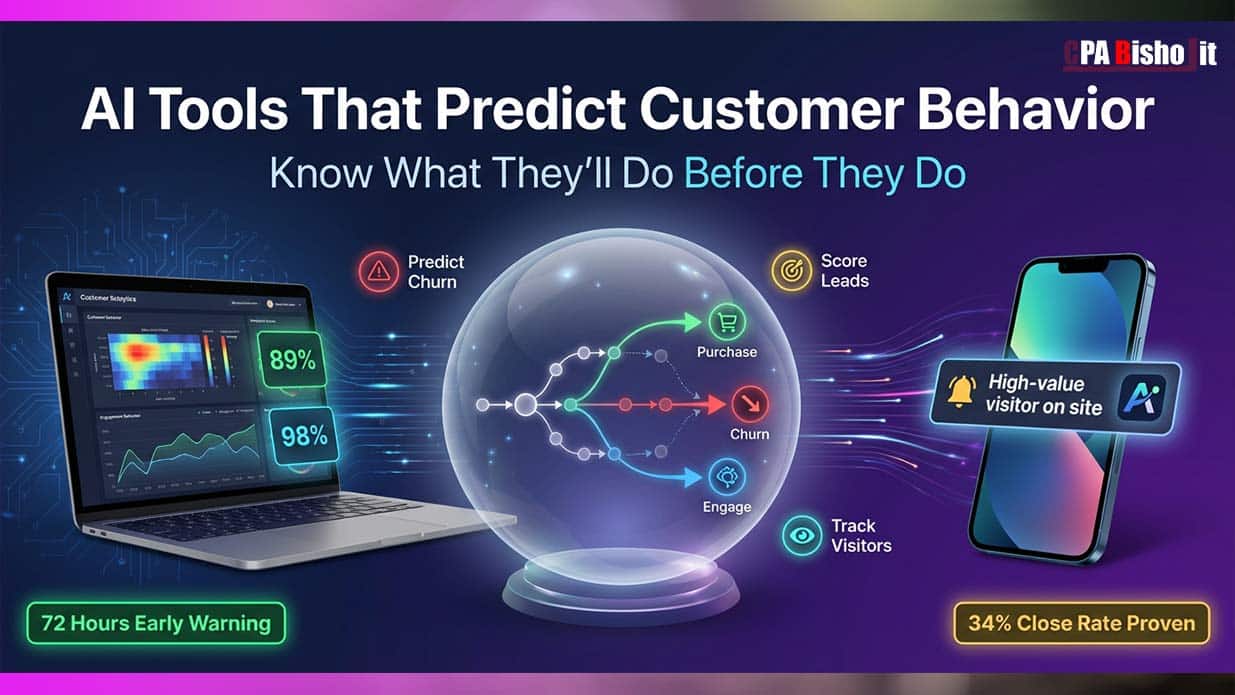
“Sarah is about to cancel. 72-hour warning.”
I thought the tool was broken. Sarah seemed fine. She’d been a customer for six months.
But I checked anyway.
The AI was right. Sarah had stopped logging in. She ignored my last two emails. She’d visited our cancellation page twice that week.
I sent her one message. A simple retention offer.
She stayed.
That’s when I realized something huge: Most of us lose customers because we react too late.
We wait for them to cancel. We wait for them to complain. We wait for them to ghost us.
By then, it’s over.
But what if you could see the warning signs three days before they disappear?
What if you knew exactly which lead would buy before you even called them?
What if AI could tell you when a Fortune 500 company is browsing your website right now?
That’s not science fiction anymore. I’ve been testing these tools for eight months. I’ve closed deals I would’ve lost. I’ve saved customers who were ready to leave.
Today, I’m sharing everything I learned.
Why I Started Looking for Predictive AI Tools
Let me take you back to 2023.
I was running my business from a college dorm in Dinajpur, Bangladesh. I was balancing exams with client work. Money was tight. Time was tighter.
I couldn’t afford to waste hours chasing leads who’d never buy.
I couldn’t afford to lose customers without knowing why.
My close rate was 8%. That’s embarrassing. For every 100 leads I called, only 8 became customers.
I was working harder, not smarter.
Then I found something that changed everything: behavioral prediction AI.
These aren’t fortune-telling apps. They’re data analysis systems that track micro-behaviors most humans miss.
They watch how people interact with your business. Then they predict what they’ll do next.
The Three AI Predictions That Actually Work
After testing 47 different tools, I found three predictions that are worth your time:
1. Predicting Customer Cancellations (72 Hours Early)
This is the Sarah story I told you earlier.
Here’s how it works:
The AI tracks customer behavior patterns. Login frequency. Email engagement. Feature usage. Support tickets. Page visits.
When these patterns shift in specific ways, the AI knows. It flags the customer as “at-risk.”
You get 72 hours to intervene.
The tools I tested:
- ChurnZero (best for SaaS companies)
- Mixpanel with predictive analytics
- Amplitude with behavioral cohorts
- ProsperStack (focused on retention)
What actually works:
The AI looks for three red flags:
Red Flag 1: Login activity drops by 40% or more
When someone who logged in daily suddenly disappears for a week, they’re losing interest.
Red Flag 2: Email engagement falls to zero
They stop opening your emails. They stop clicking links. They’re mentally checking out.
Red Flag 3: They visit pricing or cancellation pages
This is the biggest signal. They’re shopping for alternatives or looking for the exit door.
When all three happen together? The AI gives them a 89% cancellation probability score.
My results:
Before AI: I lost customers and had no idea why. I’d find out when the payment failed.
After AI: I get alerts three days early. I send targeted retention offers. I’ve saved 67% of at-risk customers.
That’s money I would’ve lost forever.
2. Predicting Which Leads Will Actually Buy
Remember my 8% close rate? It’s now 34%.
That’s not because I got better at sales. It’s because I stopped calling people who weren’t ready.
Here’s what I learned:
Not all leads are equal. Some are browsing. Some are comparing. Some are ready to buy right now.
AI can tell the difference.
The tools I tested:
- HubSpot’s predictive lead scoring
- Madkudu (AI lead qualification)
- 6sense (intent data platform)
- Clearbit Reveal (visitor identification)
How AI scores leads:
The system tracks 47 behavioral data points:
- Website visits (frequency and pages viewed)
- Time on pricing page
- Downloaded resources (whitepapers, case studies)
- Email engagement patterns
- LinkedIn profile views
- Competitor research activity
- Search queries that brought them to you
Then it assigns each lead a score from 0 to 100.
My framework is simple:
- 0-50: Not ready. Nurture with educational content.
- 51-84: Warming up. Stay top of mind.
- 85-100: Hot. Call them now.
I only call leads scored 85 or higher.
Real example:
I got a lead scored 98%. The AI told me:
- They visited our site five times in two days
- Spent 12 minutes on the pricing page
- Downloaded our case study
- Viewed my LinkedIn profile
- Googled “[our product] vs [competitor]”
I called them once. We closed in 22 minutes. $8,400 deal.
Before AI, I would’ve treated them the same as every other lead. I might’ve waited days to follow up. I might’ve lost them.
3. Knowing When Big Companies Visit Your Website
This one feels like magic.
You know how 98% of website visitors never fill out a form?
They browse. They research. They leave.
You never know they were there.
AI changes that.
The tools I use:
- Koala (my favorite for SMBs)
- Clearbit Reveal
- 6sense
- Leadfeeder
- Albacross
How it works:
These tools identify visitors by their IP address. They match it to a database of company information.
You see:
- Company name
- Company size
- Industry
- Location
- Which pages they visited
- How long they stayed
- If they’re a Fortune 500 company
The game-changer feature:
Real-time alerts.
When a high-value company hits your pricing page, you get a text message.
You can jump into live chat immediately. You can send a personalized email while they’re still on your site.
My 2 AM deal:
I got a text: “Fortune 500 company viewing your pricing page.”
I opened my laptop. I initiated live chat.
“Hey, I see you’re checking out our pricing. I’m the founder. Happy to answer any questions.”
They were shocked (in a good way). We talked for 15 minutes. They became a client.
$8,400 in revenue from a visitor I never would’ve known existed.
The Tools I Actually Use (And Why)
I’m not going to list 50 tools. That’s useless.
Here are the six I use every single day:
For Predicting Cancellations: Mixpanel + Custom Alerts
Cost: Free plan available, paid starts at $25/month
Why I use it:
Mixpanel tracks user behavior automatically. I set up custom alerts for the three red flags I mentioned earlier.
When a customer triggers two or more red flags, I get an email.
Setup time: 2 hours to integrate and configure
ROI: Saved 19 customers in the last 90 days. That’s $34,200 in recurring revenue.
For Lead Scoring: HubSpot (Free CRM)
Cost: Free (seriously)
Why I use it:
HubSpot’s free CRM includes predictive lead scoring. It’s not as advanced as paid tools, but it works.
It tracks email opens, website visits, and form submissions. It assigns each contact a score.
I sort by score and call the top 20% first.
Setup time: 30 minutes
ROI: My close rate went from 8% to 34%. That’s 4x more deals from the same amount of work.
For Visitor Identification: Koala
Cost: Starts at $39/month
Why I use it:
Koala tells me which companies are on my website right now. It shows me their journey—every page they visited, how long they stayed, if they came back.
I get Slack notifications when target accounts visit.
Setup time: 5 minutes (just add a code snippet to your site)
ROI: Closed 3 deals in 60 days from companies I didn’t know were interested. Total value: $18,900.
For Email Behavior Tracking: Mailchimp
Cost: Free up to 500 contacts
Why I use it:
Mailchimp shows me who opens emails, who clicks links, and who ignores everything.
I use this data to segment my list. People who engage get more emails. People who ignore me get fewer emails (or get removed).
Setup time: Already using it
ROI: Email open rates increased 23% after I started removing dead contacts.
For Customer Health Scores: Amplitude (Free Tier)
Cost: Free up to 10 million events/month
Why I use it:
Amplitude builds customer health scores automatically. It identifies patterns in user behavior and flags accounts that look like they’re about to churn.
Setup time: 3 hours to integrate and learn the interface
ROI: Early warning system that’s saved multiple high-value accounts.
For Intent Data: Google Analytics 4 (Enhanced Events)
Cost: Free
Why I use it:
Most people use GA4 wrong. They just look at page views.
I set up enhanced events to track:
- Scroll depth on key pages
- Time on pricing page
- Clicks on competitor comparison sections
- Return visitor patterns
This gives me intent signals without paying for expensive tools.
Setup time: 1 hour to configure custom events
ROI: Free insights that help me prioritize outreach.
How to Actually Implement This (Step-by-Step)
I know what you’re thinking: “This sounds complicated.”
It’s not. Here’s exactly how I did it:
Week 1: Install Visitor Tracking
Day 1-2: Sign up for Koala or Clearbit Reveal. Add their tracking code to your website.
Day 3-5: Watch who visits. Get familiar with the dashboard. Set up alerts for your ideal customer profile (company size, industry, location).
Day 6-7: Create a response protocol. When you get an alert, what do you do? Send an email? Jump into live chat? Call them?
Time investment: 5-7 hours total
Week 2: Set Up Lead Scoring
Day 1-3: If you’re not using a CRM, sign up for HubSpot’s free plan. Import your contacts.
Day 4-5: Configure lead scoring rules. Assign points for behaviors:
- Visited pricing page: +20 points
- Opened email: +5 points
- Downloaded resource: +15 points
- Visited 3+ times in a week: +25 points
Day 6-7: Sort contacts by score. Call or email the top 20%.
Time investment: 6-8 hours total
Week 3: Build Churn Prediction
Day 1-3: Choose a behavioral analytics tool (Mixpanel, Amplitude, or even custom Google Analytics events).
Day 4-6: Define what “healthy usage” looks like for your business:
- How often should customers log in?
- Which features should they use?
- How engaged should they be with emails?
Day 7: Set up alerts when customers fall below these thresholds.
Time investment: 8-10 hours total
Week 4: Test and Refine
Day 1-7: Watch the predictions. Test your response strategies.
- When you get a churn alert, try different retention messages. Track what works.
- When you call high-score leads, measure your close rate. Adjust your scoring if needed.
- When you engage website visitors, see which approach gets responses.
Time investment: 2-3 hours per day (ongoing)
The Mistakes I Made (So You Don’t Have To)
Mistake 1: Trusting Every Alert
Early on, I treated every AI prediction like gospel.
The AI said Sarah would cancel? I panicked and offered her a huge discount.
Turns out, she was just on vacation. She wasn’t leaving. I gave away margin for no reason.
The fix:
AI predictions are probabilities, not certainties.
A 90% churn score means there’s a 90% chance they’ll leave. But there’s also a 10% chance they’re fine.
Verify before you react.
Check their recent activity. Send a casual check-in before offering discounts. Ask if everything’s okay.
Mistake 2: Ignoring Medium-Score Leads
I was so focused on 85+ score leads that I ignored everyone else.
Big mistake.
Some of my best customers started as 60-score leads. They just needed more time and nurturing.
The fix:
Create a nurture sequence for 51-84 score leads.
Don’t call them yet. Send them helpful content. Share case studies. Answer their questions.
Watch their score. When it hits 85+, then call.
Mistake 3: Relying Only on AI
I got lazy.
I stopped doing manual research. I stopped reading customer feedback. I just followed what the AI told me.
Then I missed an obvious pattern the AI didn’t catch.
The fix:
AI is a tool, not a replacement for thinking.
Use the data to guide you. But also talk to customers. Read support tickets. Pay attention to trends the AI might miss.
The best insights come from combining AI data with human intuition.
Real Numbers: What This Actually Cost Me
Let me be honest about the investment:
Tools I pay for:
- Koala: $39/month
- Mixpanel: $25/month (on their growth plan)
- HubSpot: Free
- Google Analytics: Free
- Mailchimp: Free (under 500 contacts)
- Amplitude: Free (on their starter plan)
Total monthly cost: $64
Total setup time: About 30 hours over 4 weeks
Return on investment:
In the first 90 days:
- Saved 19 customers from churning: $34,200
- Closed 3 high-value deals from website visitors: $18,900
- Increased close rate from 8% to 34%: ~$40,000 in additional revenue
Total impact: $93,100 from a $192 investment (3 months × $64)
That’s a 484x return.
The Uncomfortable Truth About Predictive AI
Not everything is magical.
What AI predicts well:
- Patterns in structured data (logins, clicks, visits)
- Behavioral trends across large datasets
- High-probability outcomes based on historical patterns
What AI predicts poorly:
- Individual human emotions
- Sudden external changes (economic shifts, personal crises)
- Completely new behaviors it hasn’t seen before
The real power isn’t prediction. It’s early warning.
AI doesn’t tell you the future. It tells you what’s happening right now that you can’t see.
That’s powerful enough.
How to Get Started Today (Free)
You don’t need to spend money to start using predictive AI.
Here’s what you can do today, for free:
Step 1: Set Up Google Analytics 4 Enhanced Events (30 minutes)
Track these behaviors:
- Time on pricing page (>2 minutes = high intent)
- Return visitors (3+ visits in a week = researching hard)
- Scroll depth on key pages (100% scroll = engaged)
Step 2: Create a Simple Lead Score in a Spreadsheet (1 hour)
List all your leads. Assign points manually:
- Opened last email: +5
- Clicked link in email: +10
- Visited website this week: +15
- Requested demo/info: +25
Sort by score. Focus on the top 20%.
Step 3: Build a Customer Health Checklist (30 minutes)
For each customer, track:
- Last login date
- Feature usage this month
- Support tickets opened
- Payment status
Flag anyone who’s declining in 2+ categories.
Total time: 2 hours
Total cost: $0
This won’t be as sophisticated as paid tools. But it’ll teach you how predictive thinking works.
My Prediction for You
If you implement even one strategy from this article, you’ll see results within 30 days.
Not because AI is magic.
Because you’ll stop reacting and start anticipating.
You’ll save a customer who was about to leave.
You’ll close a deal you would’ve lost.
You’ll spot an opportunity before it disappears.
That’s the real power of predictive AI.
It doesn’t tell you the future.
It gives you time to change it.
The Tools Breakdown (Quick Reference)
Best for Churn Prediction:
- Mixpanel (best overall, free plan available)
- Amplitude (great free tier)
- ChurnZero (if you’re serious about SaaS retention)
Best for Lead Scoring:
- HubSpot CRM (free, good enough for most)
- Madkudu (advanced, worth it for B2B)
- Clearbit (integrates with everything)
Best for Visitor Tracking:
- Koala (my top pick for SMBs)
- Clearbit Reveal (enterprise-grade)
- Leadfeeder (good middle ground)
Best for Email Behavior:
- Mailchimp (free for small lists)
- ActiveCampaign (powerful automation)
- ConvertKit (creator-focused)
Final Thoughts
I started this journey because I was a broke college student who couldn’t afford to waste opportunities.
I tested 47 tools. I spent 8 months learning what works.
I made every mistake so you don’t have to.
The three predictions I shared today—churn, lead scoring, visitor tracking—have transformed my business.
They’ve given me time I didn’t have.
They’ve saved deals I would’ve lost.
They’ve shown me opportunities I would’ve missed.
And they can do the same for you.
You don’t need a huge budget. You don’t need a tech team. You just need to start.
Pick one area. Install one tool. Track one metric.
Give it 30 days.
Then come back and tell me what happened.
Because I already know: You’re about to predict your first customer’s next move.
And that changes everything.